 AdsKicker
Blocks ads and trackers
Requests to known ad and tracking networks are dropped before they load, and leftover ad slots are hidden. The toolbar badge counts what was blocked on each page.
Free extension for Chrome, Edge, and Brave
AdsKicker stops ad and tracking requests before they load, hides leftover ad slots, blurs suspected adult images, and asks before you open adult links. It all happens in your browser, and nothing is collected.

What it does
Requests to known ad and tracking networks are dropped before they load, and leftover ad slots are hidden. The toolbar badge counts what was blocked on each page.
Images, video posters, and backgrounds whose address, description, or link points at adult content are blurred. Click one to see it, or report it as safe.
Before you follow a link to a known adult site, AdsKicker asks whether you're 18 or older. It's a reminder, not a lock.
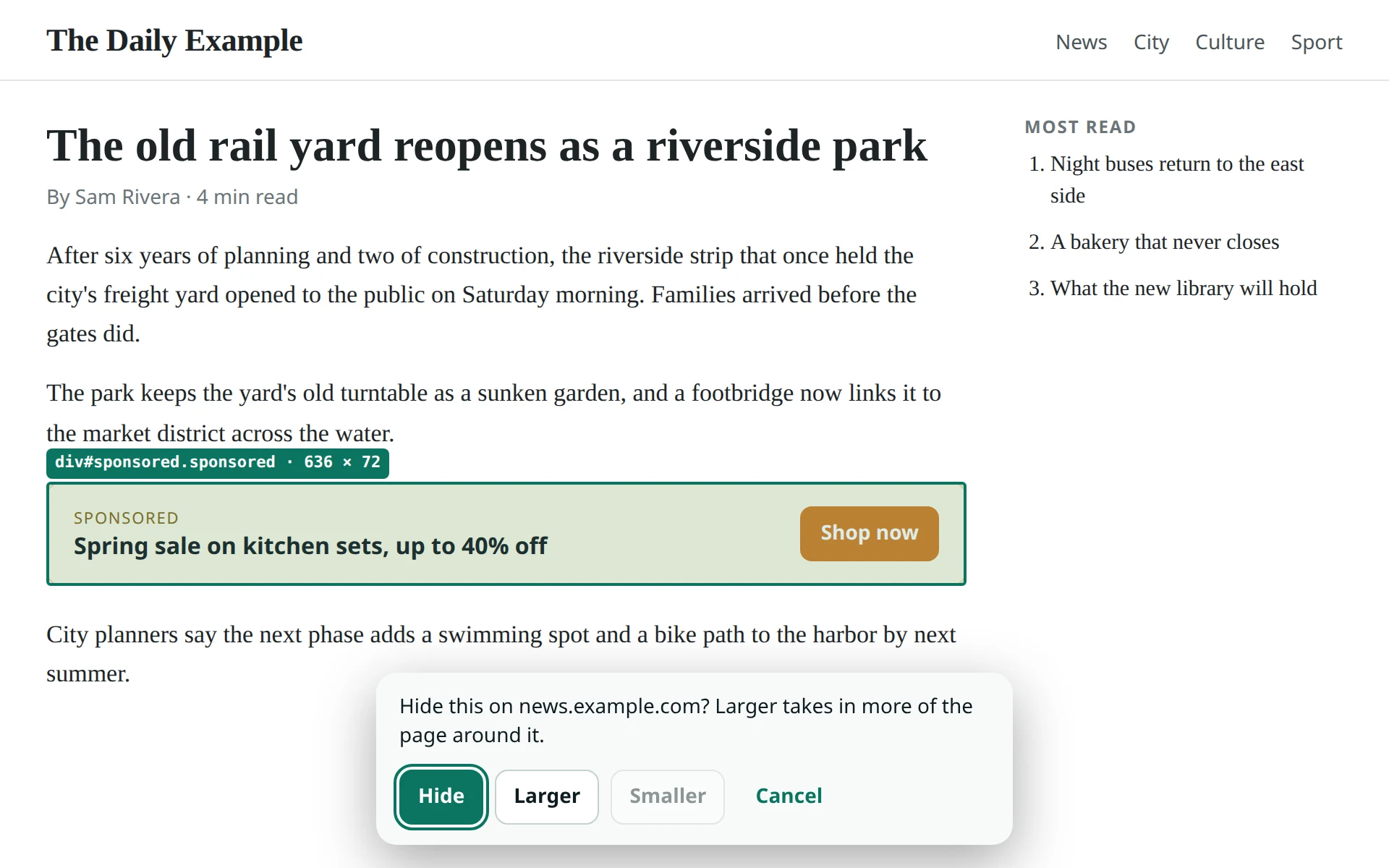
You're in charge
Private by design
AdsKicker has no servers, no accounts, and no analytics, and it makes no network requests of its own. It reads pages only to hide ads and check images and links, and it does that on your device.
Read the privacy policyInstall
AdsKicker isn't in the Chrome Web Store yet, so you add it as an unpacked extension. It works the same way.
chrome://extensions and turn on Developer mode. In Edge, open edge://extensions; in Brave, brave://extensions.adskicker folder.Good to know